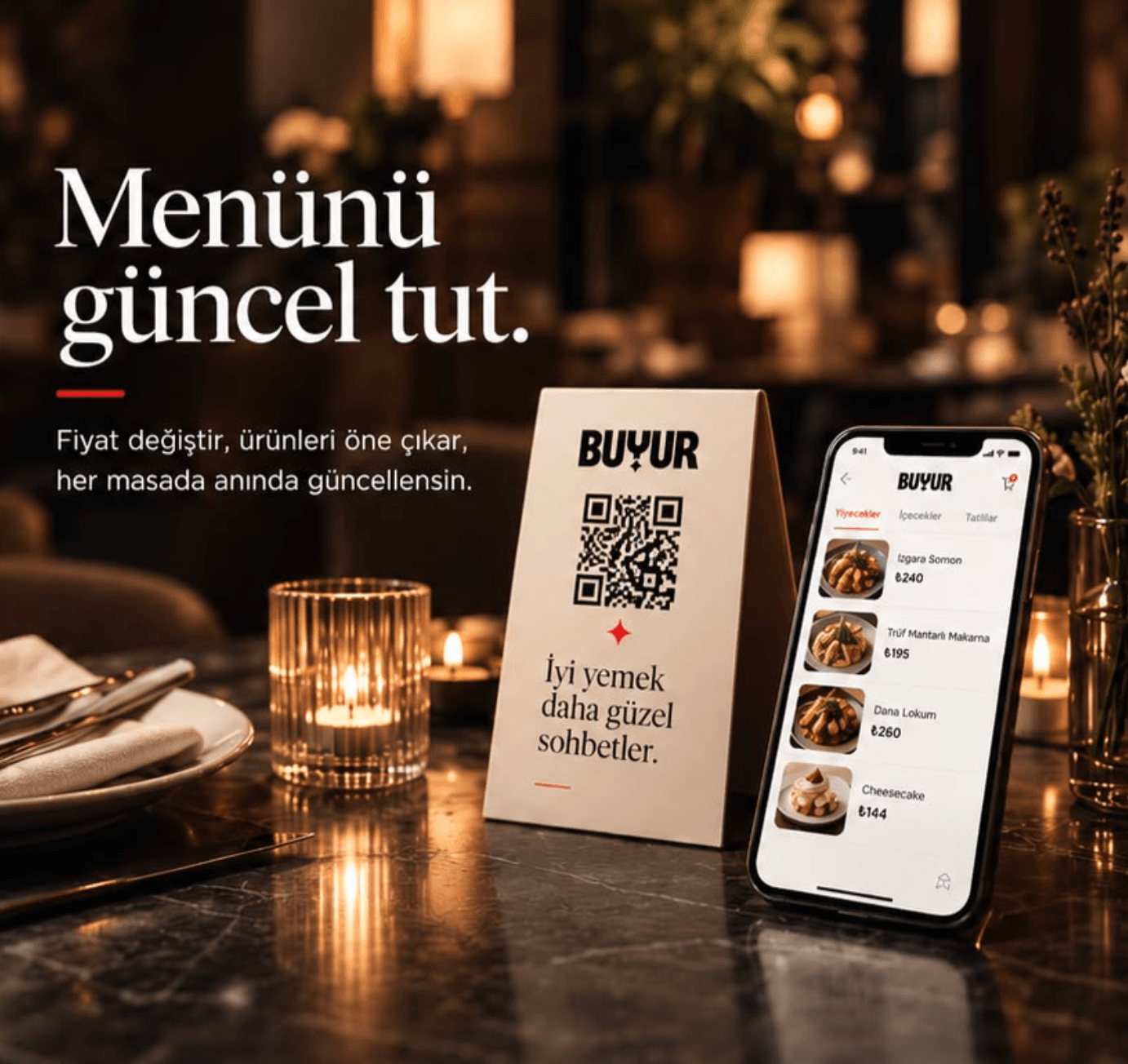
Your restaurant's digital storefront in one place.
Your QR menu, business page and website go live together at yourname.buyur.in. Change a price in the panel and your menu, storefront and the QR on every table update instantly.
Storefront, website and menu at one addressyourname.buyur.in: your website or automatic welcome page, with the menu one tap away.
Eight languages, one menuTR · EN · DE · AR · FR · ES · IT · RU — no translation hassle at the tourist's table.
See what gets readWhich product gets opened, which QR gets scanned — it's all measured.
No printing costs✦Instant price updates✦Automatic welcome page✦QR code ready✦No app to download✦Calories & allergen info✦TR · EN · DE · AR · FR · ES · IT · RU menu✦Scrolling announcement bar✦Cart → show the waiter✦Product and QR analytics✦
No printing costs✦Instant price updates✦Automatic welcome page✦QR code ready✦No app to download✦Calories & allergen info✦TR · EN · DE · AR · FR · ES · IT · RU menu✦Scrolling announcement bar✦Cart → show the waiter✦Product and QR analytics✦
One platform
From panel to table: three experiences, one address
buyur is more than a QR menu. What you enter in the panel shows up on your storefront and your menu at the same time — no separate website to build, nothing to update twice.
1Panel
buyur.in/panel
Scrolling text
Fresh products · Today's favorites
Price (₺)
285310
Manage it all from one panel
Menu, prices, campaigns, announcements, opening hours and contact details in one place. Enter them once and they're up to date everywhere.
2Storefront
yourname.buyur.in
A
Alpha Cafe
Kadıköy · 08:00–23:00
See the menu
Your storefront is ready on its own
If your website is live, visitors land straight on it. If not, an automatic welcome page is built from your logo, cover, address, hours and social media.
3Menu
yourname.buyur.in/menu
BreakfastMainsDessert
Grilled Meatballs310₺
Mushroom Risotto240₺
The menu is one tap away
“See the menu” takes guests to your QR menu; the QR on the table opens the menu directly. Multiple languages, the cart and campaigns live in the menu.
Not a long feature list: the three results buyur brings to your business, and how each one looks on screen.
01 Problem
A price change means reprinting the menu
BUYUR's answer
Instant price and product updates
No waiting on the printer when prices go up. The price you change in the panel shows up on every open menu without a page refresh.
Hide sold-out items with a single tap
Feature the chef's pick and your campaigns
Panel · Edit product
Grilled Meatballs
Price (₺)
285310
Save
Table 4 · menu
Grilled Meatballs
285₺310₺
just updated
Mushroom Risotto
240₺
Save in the panel → live on the menu instantly
02 Problem
Waiters can take orders wrong or incomplete
BUYUR's answer
Build a cart and show it to the waiter
Guests add what they like to the cart along with their options, see the total and show the screen to the waiter. Your waiter still takes the order; your routine stays the same.
Options like size and extras are written in the cart
The total is right in front of the guest
Your cart
Grilled Meatballs
Spicy
− 2 +
570₺
Seasonal Salad
− 1 +
165₺
Ayran
Large
− 2 +
120₺
Total855₺
Show this screen to your server to place the order.
Real guest screen: the cart page
03 Problem
Nobody knows which products get attention
BUYUR's answer
Product and QR performance analytics
Which product gets viewed but never ordered, which table's QR opens the menu — you see it in the panel instead of guessing.
Views and cart adds per product
Per-QR funnel: scan → menu → product → cart
Panel · Analytics
sample data
Most viewed products
Grilled Meatballs34% to cart
San Sebastian29% to cart
Mushroom Risotto6% to cart
QR funnel · Table 4
38
scans
36
menu
29
product
21
cart
The risotto gets lots of views but rarely reaches the cart → review its price or photo.
Example from the panel
Live demo menu
Try a real menu right now
This isn't a screenshot: the Demo menu is running live right here. Pick a language, open categories, add to the cart — exactly what your guests will see on their phones.
A paper menu tells you nothing. buyur shows what guests look at and what they add to the cart, so you can tune your chef's picks, campaigns and prices accordingly.
Sample panel view · figures are illustrative
+%38
Menu views
0
vs. last month
+%24
QR scans
0
vs. last month
+%12
Average browse time
0:00
vs. last month
+%51
Items added to cart
0
vs. last month
Menu views
Last 12 months
Sample data
Busiest day
Saturday
Busiest hours
20:00–22:00
New visitors
64%
Menu views by month
Month
Views
Feb
820
Mar
940
Apr
880
May
1,120
Jun
1,240
Jul
1,180
Aug
1,460
Sep
1,620
Oct
1,540
Nov
1,880
Dec
2,140
Jan
2,380
Most viewed products
This month · views
Grilled Meatballs1,840
San Sebastian1,510
Turkish Coffee1,275
Mushroom Risotto960
Seasonal Salad720
Which product gets attention, which one sits on the menu for nothing — don't guess, see it.
Where do guests come to the menu from?
This month · share of all views
The QR sits on the table, but half the traffic comes from elsewhere. Your menu address works in your Instagram bio and on Google too.
52%
QR code52%
Instagram24%
Google15%
Direct link9%
Sample data · you'll see your own numbers in your panel
How it works
Pick one of two paths — your menu goes live today
Set it up yourself
5 minutes
1
Open your account
Sign up with your email and pick your business type: your categories come ready.
2
Add your products
Price, photo, allergens, prep time. A few products and your menu is live; the guide walks you through every step.
3
Put the QR on the table
Download your QR or get table-numbered QRs as one PDF and print them.
Freemium: free for 1 month or 5,000 menu views. Freemium ends when either limit is reached first. No plan limits the number of products or categories — you can enter your entire menu. Premium and Elite have no time or view limits.
Feature
Freemium
Premium
Elite
Digital QR menu
Menu views
5,000
Unlimited
Unlimited
Duration
1 month
Unlimited
Unlimited
Basic analytics
Advanced analytics
—
Automatic insights & performance score
—
Campaigns
—
Remove buyur branding
—
Automatic website (from your menu data · animation · slider · gallery)
—
—
AI import of your printed menu
2 scans per month
5 scans per month
10 scans per month
AI multilingual completion
3D & AR on the table
—
—
Advanced reports
—
—
PDF and CSV export
—
—
No credit card on the free plan · Cancel anytime
Compare
Paper menu or BUYUR?
Topic
Paper menu
BUYUR
Price change
Reprint, days of waiting
Instantly from the panel, on every table
Sold-out item
The waiter tells you at the table
Removed from the menu with one tap
Cost
A new print run with every price rise
Free to start · Premium from 199,20₺/month
International guests
One language
8 languages, 4 per venue
Allergens and calories
Usually missing
Can be shown on every product
Ordering
The waiter takes notes, things get mixed up
Guests show their picks to the waiter in the cart
Which product gets attention?
Unknown
In the panel, per product and per QR
Business info
On the sign at the door
On your storefront: address, hours, contact, social media
Hygiene
Passes from hand to hand
On the guest's own phone
Frequently asked questions
Does buyur take orders?+
Not today — no orders or payments. Guests collect their picks in the cart, see the total and show the screen to the waiter, who takes the order. Fewer wrong or missing orders, and your routine stays the same.
What appears at mybusiness.buyur.in if I don't have a website?+
A welcome page generated automatically from your business details: logo, cover image, description, address, opening hours, contact and social media, with a “See the menu” button at the top. On Elite, if your website is live, visitors land straight on it. The QR on the table always opens the menu directly.
How long is Freemium free?+
The Freemium plan is free for 1 month or 5,000 menu views. Freemium ends when either limit is reached first. No credit card required.
How many products can I add on Freemium?+
Unlimited. No plan has a product or category limit; you can enter your whole menu. Freemium's only limits are time and views: 1 month or 5,000 menu views.
What's the difference between Premium and Elite?+
Premium includes campaigns, advanced analytics and a professional menu without buyur branding. Elite adds a website generated from your menu (animated intro, menu slider, gallery), the report center (PDF and CSV export) and priority technical support.
How do I switch to Premium?+
Open your free account, then choose “Start Premium” on the Plan page in the panel. Your request reaches our team and we complete payment and activation through your support request. Your menu and data stay exactly as they are.
Should I pay monthly or yearly?+
Either works. Paying yearly lowers the monthly cost by 20%: Premium is 199,20₺ a month instead of 249₺ (2.390,40₺ paid yearly upfront), Elite is 599,20₺ a month instead of 749₺ (7.190,40₺ paid yearly upfront). Monthly billing has no commitment; you can stop at the end of any period.
Will my data be deleted when Freemium ends?+
No. Your menu, products, images and analytics history stay as they are. Only your menu's publication and advanced features pause; when you move to a plan, everything picks up where you left off.
When do guests see a price change?+
Instantly. The second you hit save, the new price appears on every open menu. No waiting for reprints.
How do I get my QR code?+
It's created automatically when you sign up. Download it in high resolution from the panel and print it at any size. You can bulk-create table-numbered QRs as one PDF and see separately which table's QR opens the menu and turns into a cart.
Which languages can my menu be shown in?+
Turkish, English, German, Arabic, French, Spanish, Italian and Russian. Pick your main language and add up to three more; guests choose their language in the menu. AI fills in missing translations, and you review and save them.
What exactly do the analytics show?+
How many times your menu was opened, which products were viewed and added to the cart, how long guests stayed and where your traffic came from. A basic summary on Freemium; product, category, source and QR breakdowns on Premium and Elite.
I'm not technical — can I still use it?+
Absolutely. On your first login the panel opens with a guide that walks you through it step by step; adding a product is as easy as sharing a photo. Or send us your menu and we'll prepare your demo menu.
Don't see your question?
Write to us and a real person will answer. No sales pitch — just what you want to know.